Getting Started
Let's discover Agent Response V2 API in less than 5 minutes.
Requirements
You must have an active Agent Response V2 subscription.
All plans except the Free plan have access to the API.
Getting your API Key
Once logged in to your active Agent Response account, go to the API Tokens page and create a token.
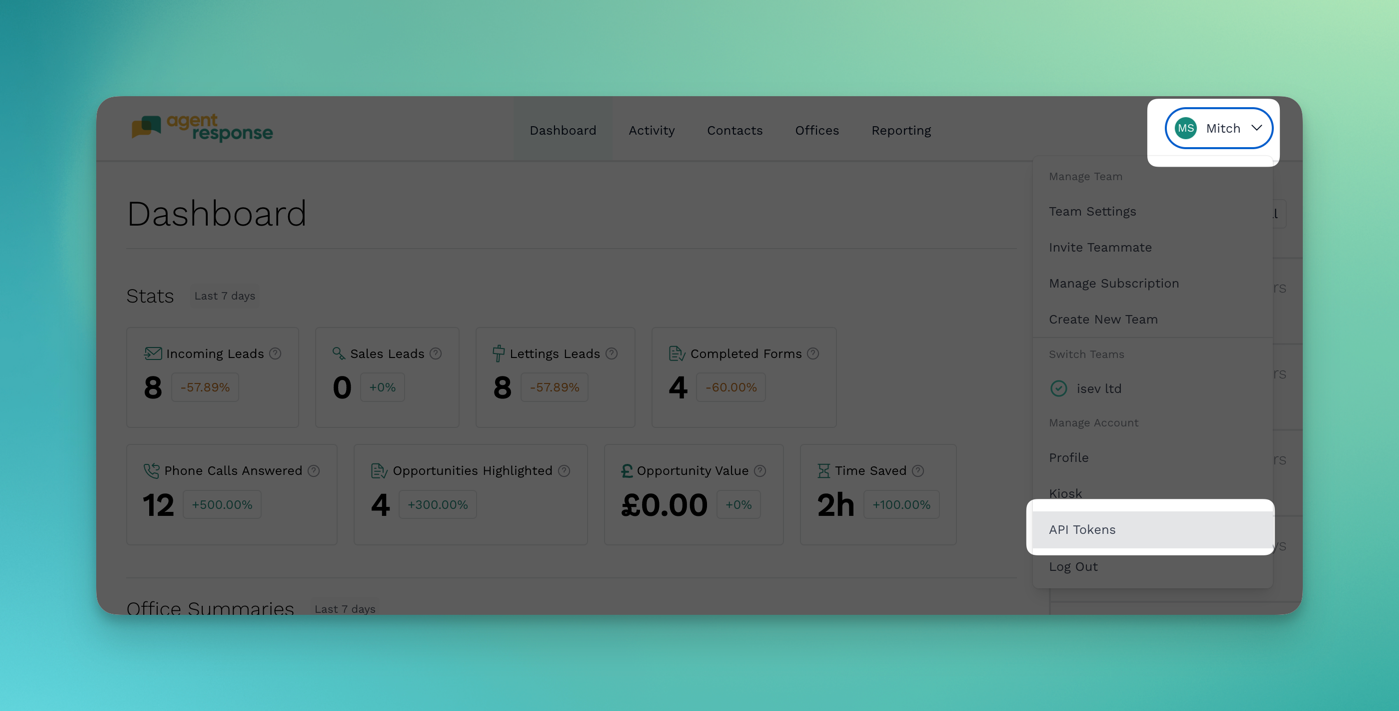
You can give your token any name, e.g. Zapier Integration Token if you're planning on using our api with Zapier.
Make sure to select the correct permissions for your token.
For example, if you only need to read the leads, you can select the Read permission.
If you need to create new leads via the API, select the Create permission.
Testing
You can use the following end point to test your API key.
If successful, you'll see a list of offices and your read/write permissions.
The offices you can access are dependent on your team permissions.
- cURL
- Guzzle PHP
- Fetch Javascript
curl `https://api.agentresponse.app/api/v1/test` \
     -H 'Content-Type: application/json' \
     -H 'Accept: application/json' \
     -H 'Authorization: Bearer YOUR_API_KEY'
// Include Guzzle. If using Composer:
// require 'vendor/autoload.php';

use GuzzleHttp\Pool;
use GuzzleHttp\Client;
use GuzzleHttp\Psr7\Request;

$client = new Client();
$apiToken = "YOUR_API_TOKEN";

$request = new Request(
        "GET",
        "https://api.agentresponse.app/api/v1/test",
        [
            "Content-Type" => "application/json",
            "Accept" => "application/json"
            "Authorization" => "Bearer ".$apiToken
        ],
        "");

$response = $client->send($request);
echo "Response HTTP : " . $response->getStatusCode() . "
";
const apiToken = "YOUR_API_TOKEN";
// Request (GET https://api.agentresponse.app/api/v1/test)
fetch("https://api.agentresponse.app/api/v1/test", {
    "method": "GET",
    "headers": {
        "Content-Type": "application/json",
        "Accept": "application/json",
        "Authorization": `Bearer ${apiToken}`
    }
})
    .then((res) => res.json())
    .then(console.log.bind(console))
    .catch(console.error.bind(console));
Live Editor
Result
Loading...